
Conditions
Campaign Bay allows you to add Conditions to any campaign. These conditions "gate" the discount, ensuring it only applies when specific criteria are met.
How Conditions Work
Every campaign includes a Conditions section where you can add one or more rules.
Match Logic

| Mode | Behavior |
|---|---|
| Match Any | Discount applies if at least one condition is true |
| Match All | Discount applies only if all conditions are true |
Adding Conditions
Click Add New Condition to see the available options:
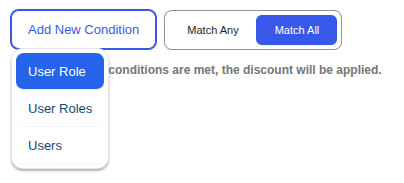
Available Conditions
1. User Role (Single)
Restrict the campaign to users with a single specific WordPress role.

With / Without Toggle
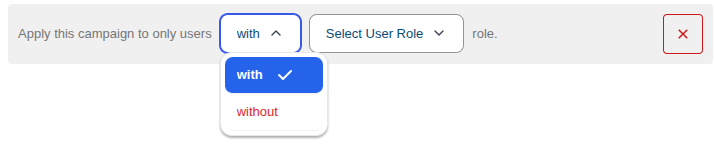
| Option | Behavior |
|---|---|
| with | Only users with the selected role can use this discount |
| without | Users without the selected role can use this discount |
Select User Role
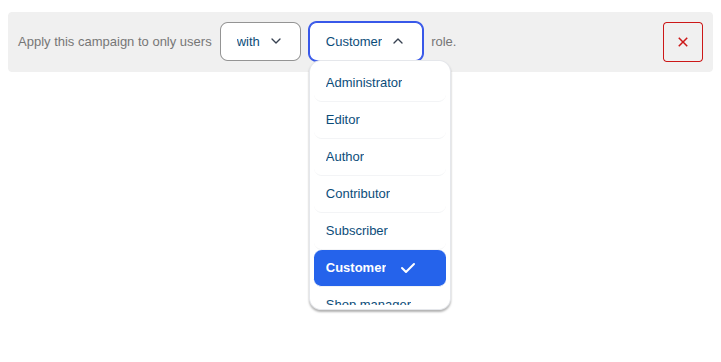
Choose from any WordPress role on your site:
- Administrator, Editor, Author, Contributor, Subscriber
- WooCommerce roles: Customer, Shop Manager
- Custom roles from other plugins
Use Case
Create a "VIP Only" sale: User Role → with → VIP Customer
2. User Roles (Multiple)
Restrict the campaign to users with one of several WordPress roles.

With / Without Toggle
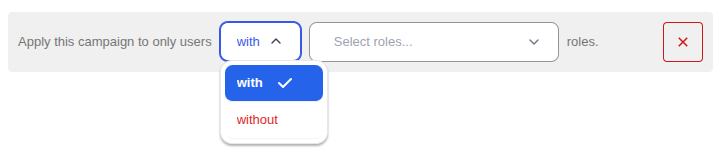
| Option | Behavior |
|---|---|
| with | Only users with any of the selected roles can use this discount |
| without | Users without any of the selected roles can use this discount |
Multi-Select Roles

Select multiple roles — user must have at least one of the selected roles.
Use Case
Create a wholesale discount: User Roles → with → Wholesale Buyer, VIP Customer
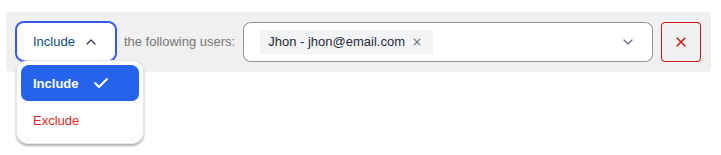
3. Users (Specific)
Restrict the campaign to specific individual users by name or email.

Include / Exclude Toggle
| Option | Behavior |
|---|---|
| Include | Only the selected users can use this discount |
| Exclude | Everyone except the selected users can use this discount |
Multi-Select Users
Select multiple users from the dropdown — search by name or email.
Use Case
Create a personal thank-you discount for top customers: Users → Include → john@example.com, jane@example.com
Pro Conditions
CampaignBayPro unlocks additional powerful conditions:
Order History Count
Reward loyal customers based on their previous order count.
| Operator | Behavior |
|---|---|
| greater than | Customer must have more than X previous orders |
| less than | Customer must have fewer than X previous orders |
| equal to | Customer must have exactly X previous orders |
Use Case
Create a loyalty reward: Order History Count → greater than → 5 to reward customers with 6+ orders.
Cart Total / Subtotal
Trigger discounts when the cart reaches a certain value.
| Operator | Behavior |
|---|---|
| greater than | Cart total must exceed X amount |
| less than | Cart total must be below X amount |
Use Case
Free shipping incentive: Cart Total → greater than → $100 to encourage larger purchases.
Specific Product in Cart
Activate a campaign only when a designated "trigger" product is present.
Use Case
Cross-sell: When customer adds a Camera to cart, offer 20% off Camera Bags.
Specific Category in Cart
Apply discounts when a product from a specific category is in the cart.
Use Case
Bundle deal: When customer has any item from "Electronics," offer 15% off "Accessories."
Next Steps
Now that you know how to apply specific rules to users and roles, learn how to target your discounts to specific products and categories.
Need more advanced conditions? Get CampaignBayPro →