
CampaignBayThe Ultimate Discount Campaign Manager for WooCommerce.
Create powerful, automated, and targeted discount campaigns to drive sales and engage your customers.
Create powerful, automated, and targeted discount campaigns to drive sales and engage your customers.
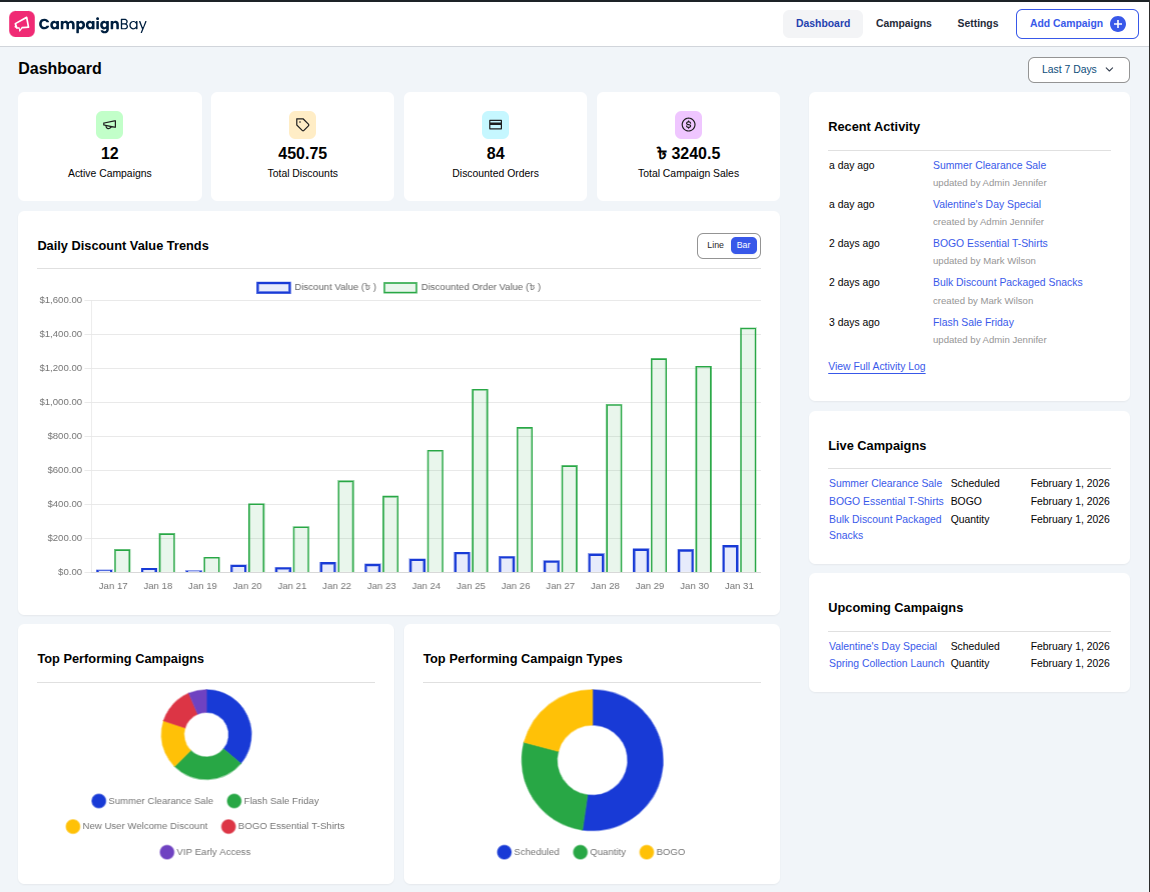
Welcome to the official documentation for CampaignBay!
CampaignBay is a powerful, user-friendly marketing tool that empowers you to create sophisticated, automated discount campaigns directly from your WordPress dashboard. Whether you're running a Black Friday flash sale, rewarding customers for bulk purchases, or creating urgency with a limited-time offer, CampaignBay provides the robust features you need to drive sales and engage customers.
With its intuitive dashboard, flexible campaign types, and high-performance discount engine, you get unparalleled control over your marketing strategy without sacrificing site speed.
This documentation will guide you through every feature, from installing the plugin to understanding the advanced settings.
Campaign Types:
Targeting & Conditions:
Display & Messaging:
{percentage_off}, {buy_quantity} for promotional text.Analytics Dashboard:
Performance & Automation:
Unlock advanced capabilities with CampaignBayPro:
Experience the power of CampaignBay firsthand on our interactive demo site. See how campaigns look on the frontend and explore the admin dashboard.
CampaignBay is designed to help you achieve specific business goals. Here are just a few examples of what you can build:
Launch New Products with a Bang: Create an Early Bird Discount offering a steep discount to the first 50 customers to generate instant buzz and social proof.
Increase Average Order Value (AOV): Implement a tiered Quantity Discount like "Buy 3+, get 10% off; Buy 5+, get 20% off" and use the built-in cart notices to encourage customers to add more to their cart.
Run Holiday Flash Sales: Set up a Scheduled Discount for your entire store that automatically starts at midnight on Black Friday and ends precisely on Cyber Monday.
Clear Out Old Inventory: Run a "Buy 2, Get 1 Free" BOGO Campaign on last season's styles to quickly move stock without devaluing your brand.
Create Simple Wholesale Tiers: Use Quantity Discounts on specific product categories to offer wholesale-style pricing to all your customers without needing a separate plugin.
Targeted Promotions: Apply a discount to a specific product category to promote a new line or run a brand-specific sale.
Cross-Sell Bundles (Pro): With CampaignBayPro, trigger discounts on accessories when customers add specific products to their cart.
Ready to dive in? Here are the most important sections to get you started on your journey.